Native macOS · Microsoft 365 · Built in Rust

Classic Outlook,
rebuilt to be fast.

DPKooltuo works the way classic Outlook does, with the same ribbon, folders, shortcuts and habits. It fixes what people complain about most: slow search, painful shared mailboxes and a cache you can't control.

Version 0.1.5 · 28 MB · macOS 11 or later · Apple silicon and Intel

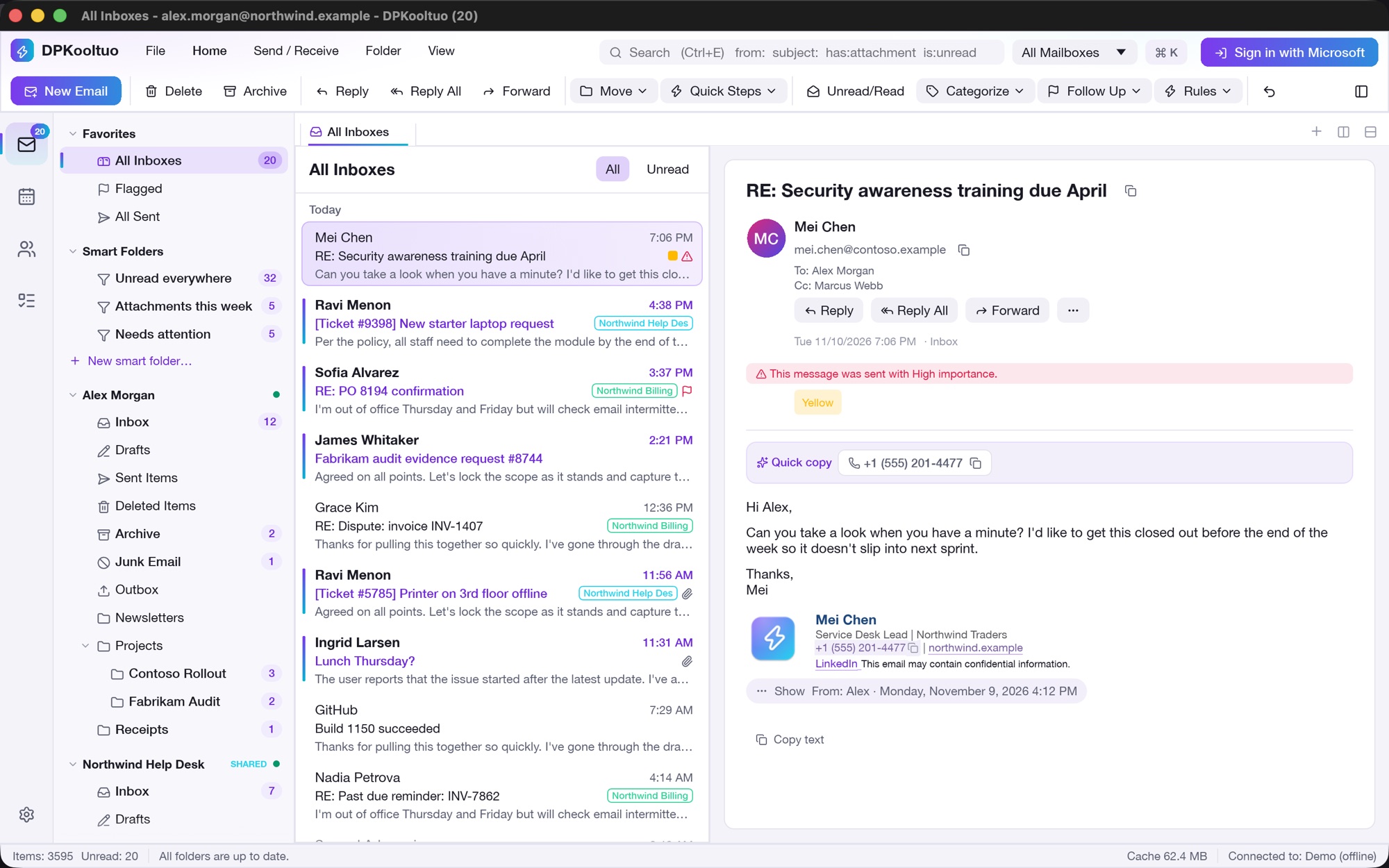
DPKooltuo main window: All Inboxes with folder pane, smart folders, message list and reading pane
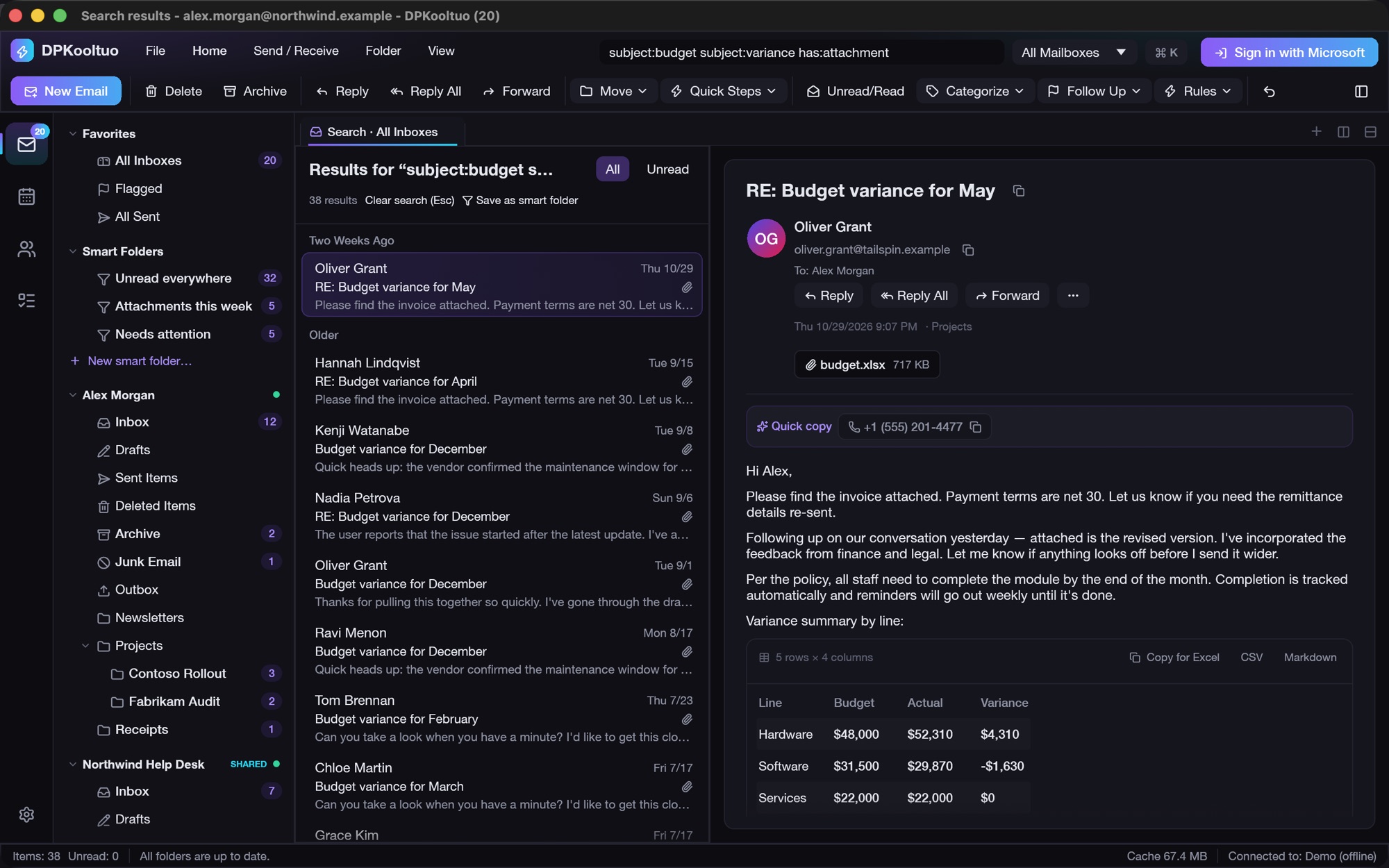
0 ms38 results across every mailbox, from the local index
13 msto run rules over 2,650 messages
3mailboxes side by side, each with its own cache
1 languagefor search, smart folders and rules
Shared mailboxes

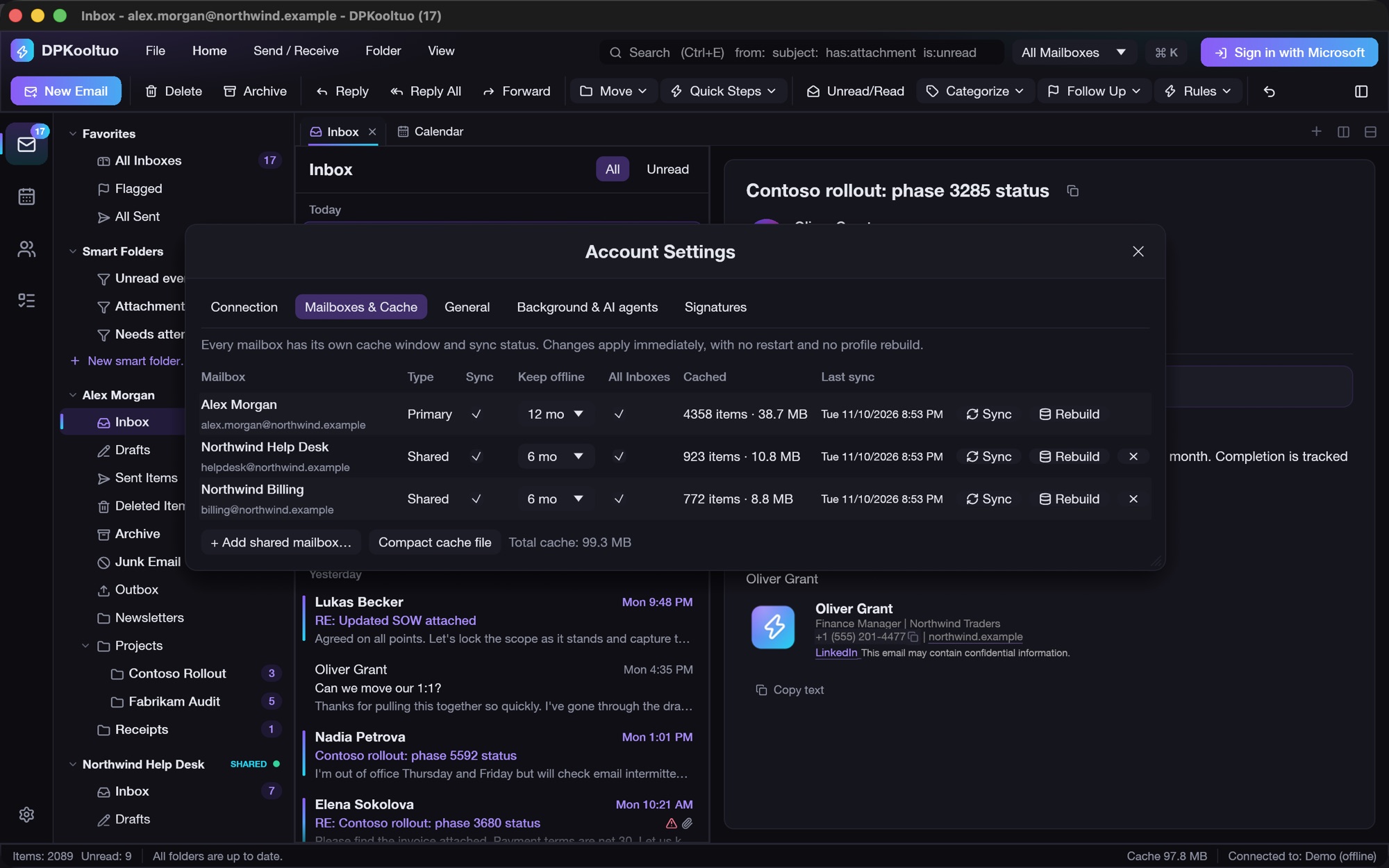
Every mailbox gets its own pane, its own cache and its own sync.

Open your Inbox, the help desk and billing side by side, in tabs and split panes. Unread counts and sync status are per mailbox, and one All Inboxes view merges them.

  • Add a shared mailbox in seconds, with no profile rebuild and no restart
  • Choose how many months each mailbox keeps offline
  • Sync or rebuild one mailbox without touching the others
  • Send as the shared mailbox; the copy lands in its Sent Items, not yours
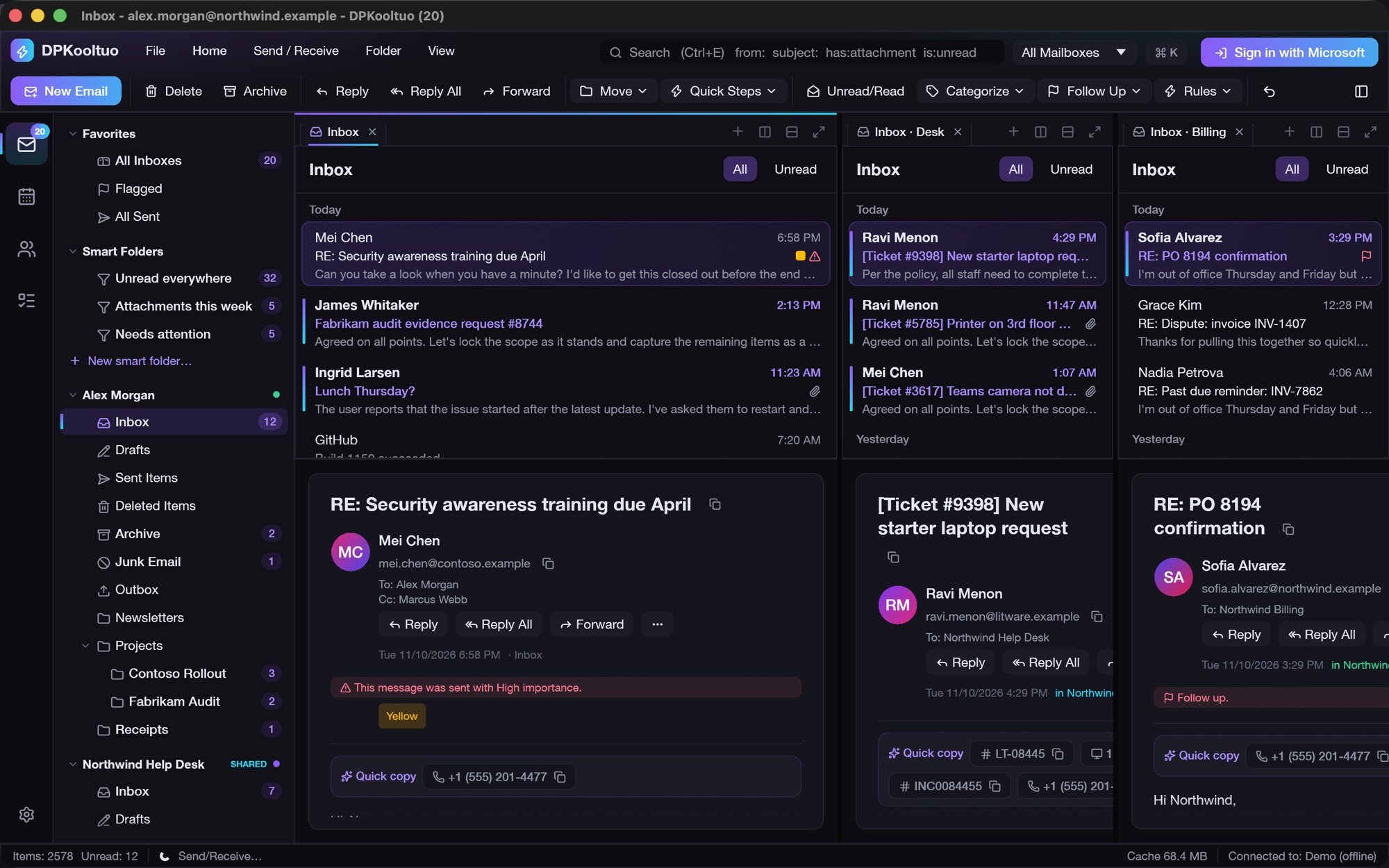
Three inboxes side by side in split panes
Layout: all mailboxes side by side
Mailboxes and cache settings with per-mailbox cache window, sync and rebuild
Per-mailbox cache window, sync and rebuild
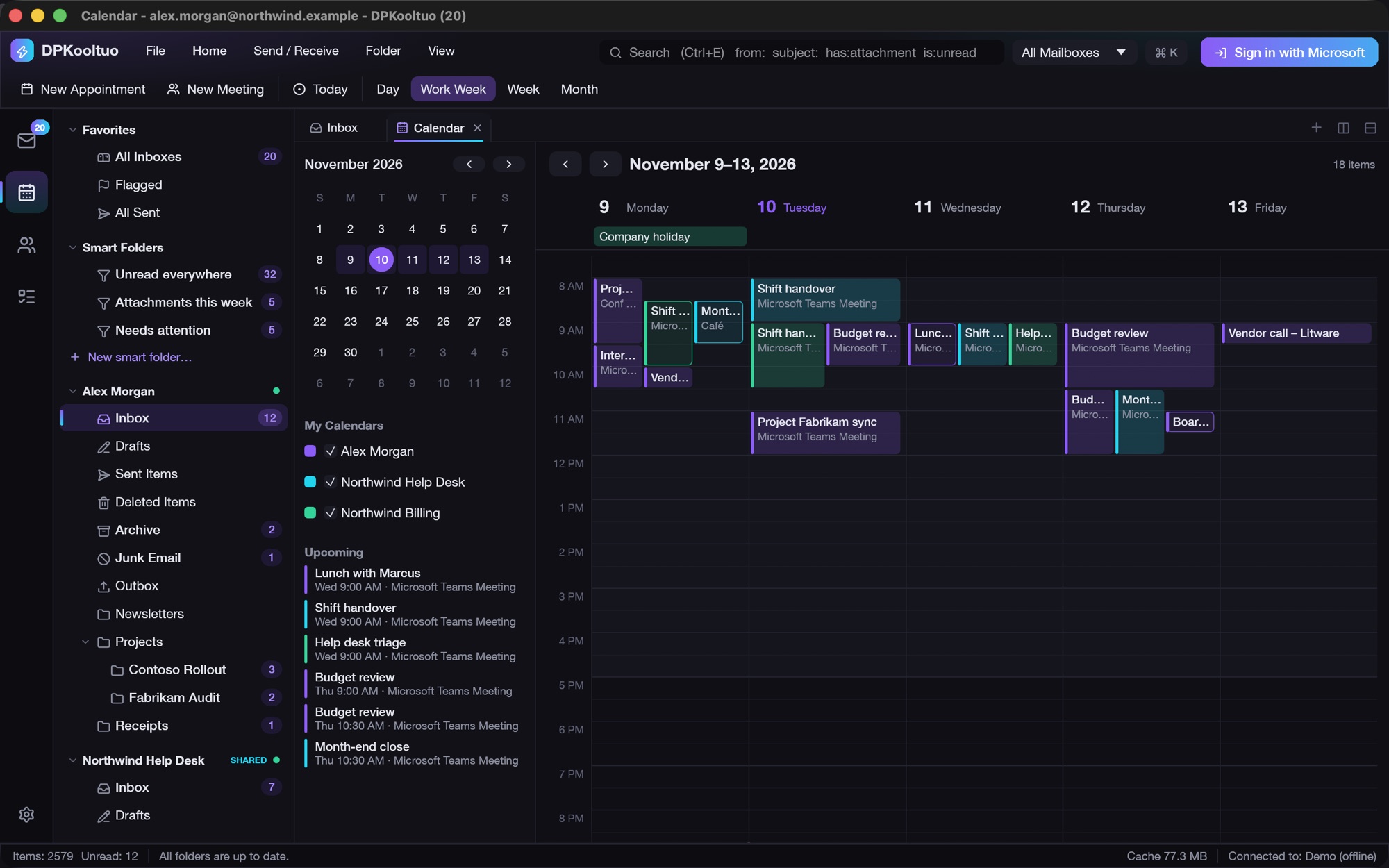
Work week calendar overlaying three mailboxes' calendars
Calendars from every mailbox, overlaid
Smart folders

Saved searches that span every mailbox.

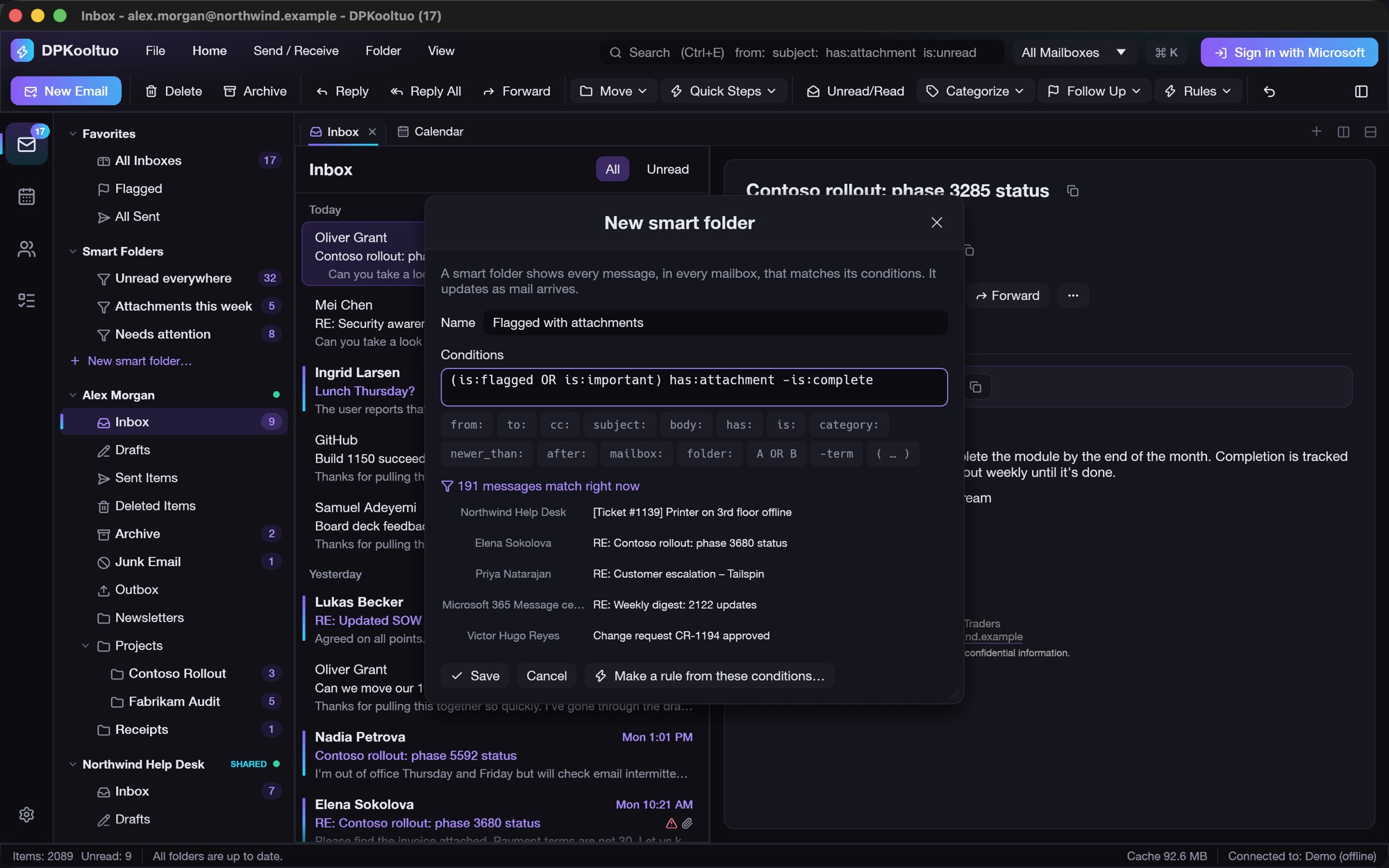
Write a query once and it becomes a folder with a live unread count. "Needs attention" across your Inbox and two shared mailboxes is one line:

(is:flagged OR is:important) -is:complete
  • Live match count and preview while you type
  • Save any search as a smart folder in one click
  • Open a smart folder in its own pane
  • Turn its conditions into a rule
New smart folder editor with conditions, insert chips and a live list of matching messages
191 messages match right now, across all mailboxes
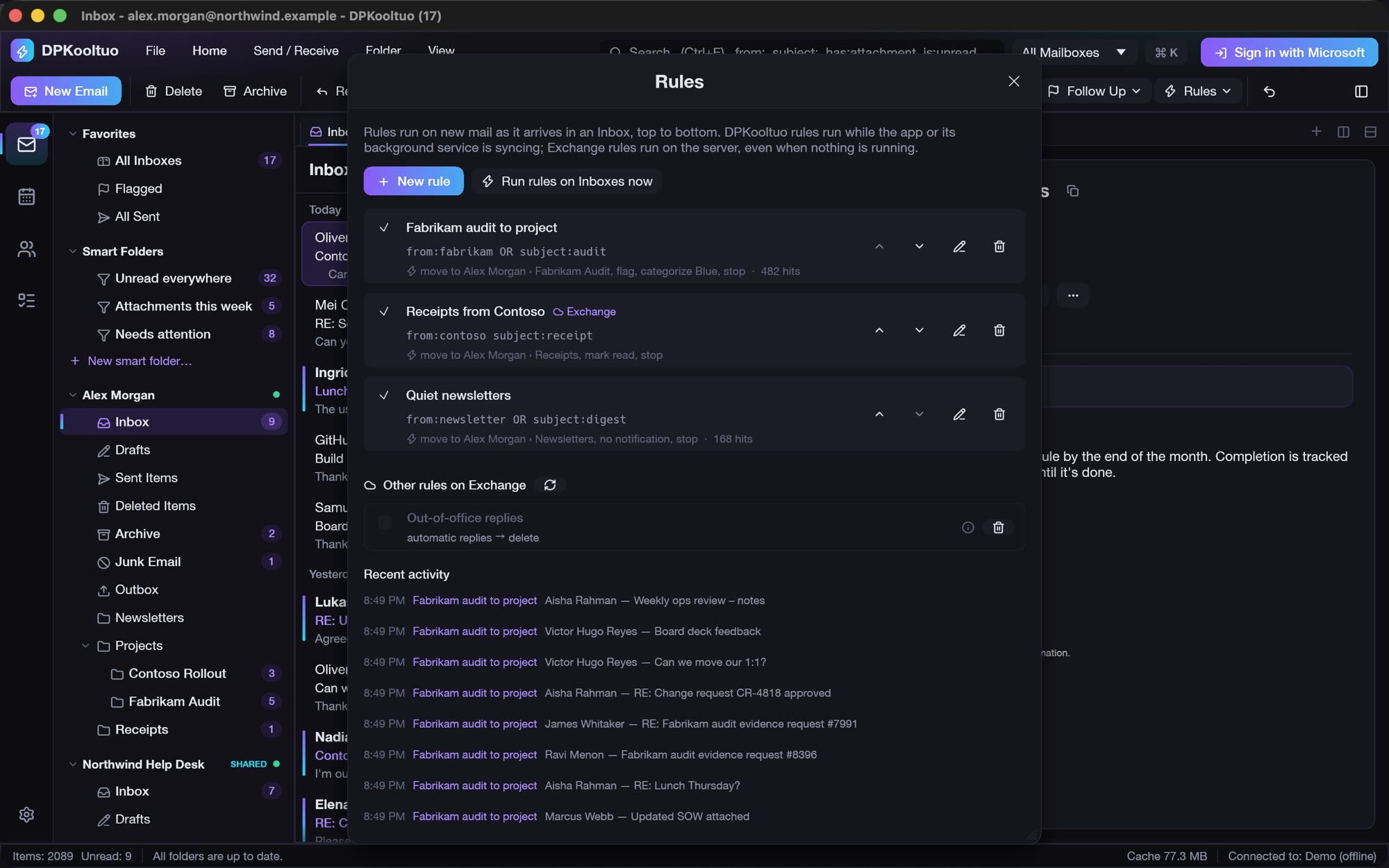
Rules

Rules built on the same query language, running locally or on Exchange.

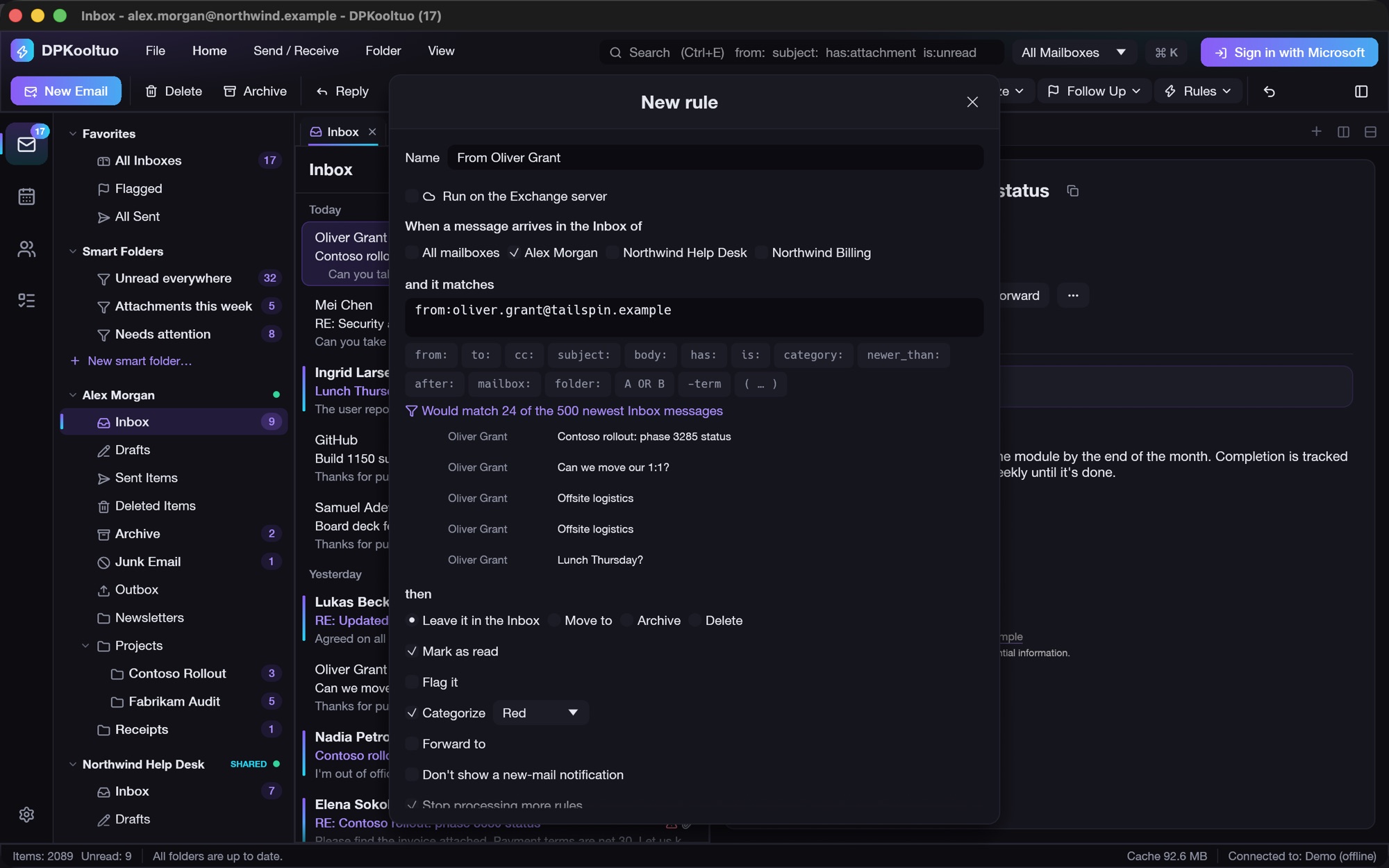
Move, archive, delete, mark read, flag, categorize, forward, silence notifications or stop processing. The editor shows which recent mail would match before you save.

  • DPKooltuo rules handle what Exchange can't: flags, dates, read state, any shared mailbox
  • Exchange rules run on the server, even with your Mac asleep, and show up in Outlook
  • Rules made in Outlook appear too: toggle, delete, or manage them here
  • Hit counts and a recent-activity log for every rule
Rules window with local and Exchange rules, other Exchange rules and recent activity
Local and Exchange rules in one list
Rule editor with mailbox scope, conditions, live preview of 24 matching messages and actions
Right-click a message ▸ Create rule…
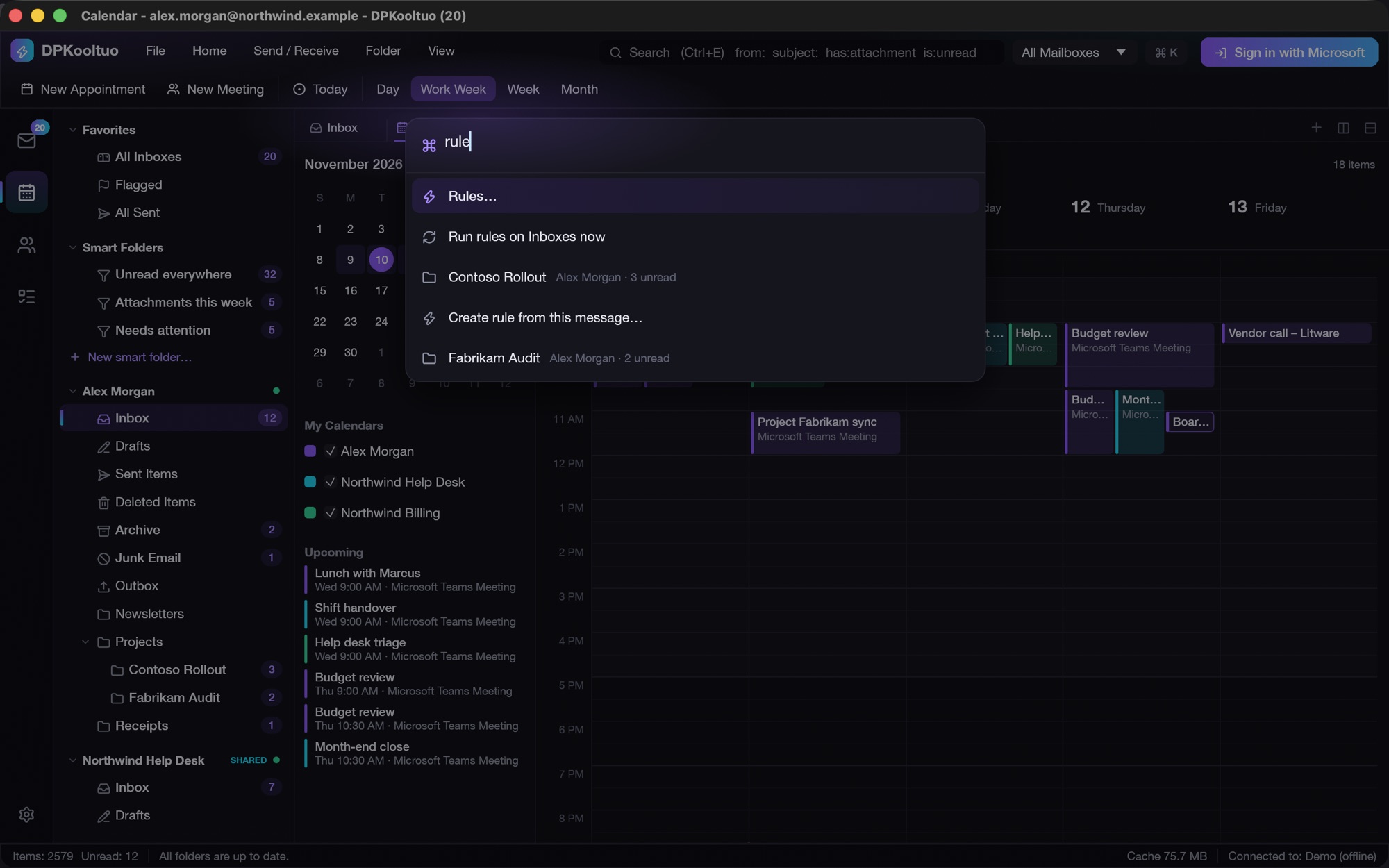
Command palette filtering commands and folders
Every command and folder is a ⌘K away
Background service & AI agents

Notifications when it's closed. An MCP server for your AI assistant.

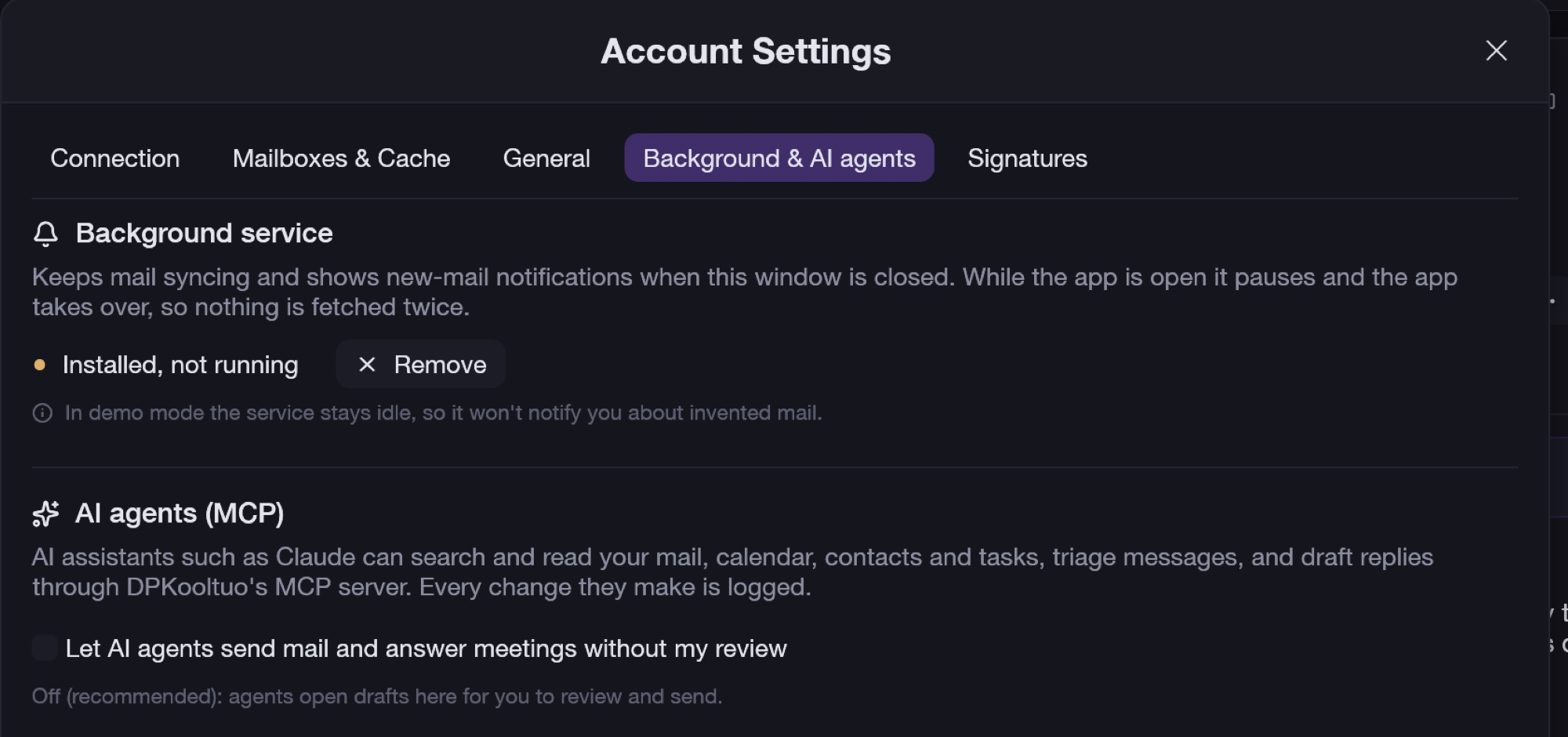
A lightweight background service keeps mail syncing and raises notifications when the window is closed. When the app is open, the service pauses so nothing is fetched twice.

Built-in MCP tools let Claude and other assistants search and read mail, calendar, contacts and tasks, triage, draft replies, and create smart folders and rules. Sending stays off unless you allow it, and every change an agent makes is logged.

Background service and AI agents settings
Agents draft; you send, unless you choose otherwise
Under the hood

Native and local-first, built for speed.

One Rust binary with a GPU-rendered interface and a SQLite cache. Every change happens instantly on your Mac and syncs to Microsoft 365 in the background.

Instant everywhere

Lists, search and counts come from the local index, so moves, flags and deletes take effect immediately, even offline.

Smart sync

Delta sync, batched requests and stable item IDs, with automatic back-off when Microsoft throttles.

Sign in with Microsoft

Browser sign-in with PKCE. No app registration for users to set up, and tokens are stored only on your Mac.

Org-managed signatures

Your own signatures, or one pushed by IT through device management, with profile fields filled in automatically. Server-side signature tools are detected so you don't get two.

Panes, your way

Tabs and split panes, reading pane right, bottom or off, conversation view, compact density, and dark, light or system theme.

Safe by default

Remote images are blocked until you allow them. The app is signed and notarized, its local sockets are private, and agent actions are audited.

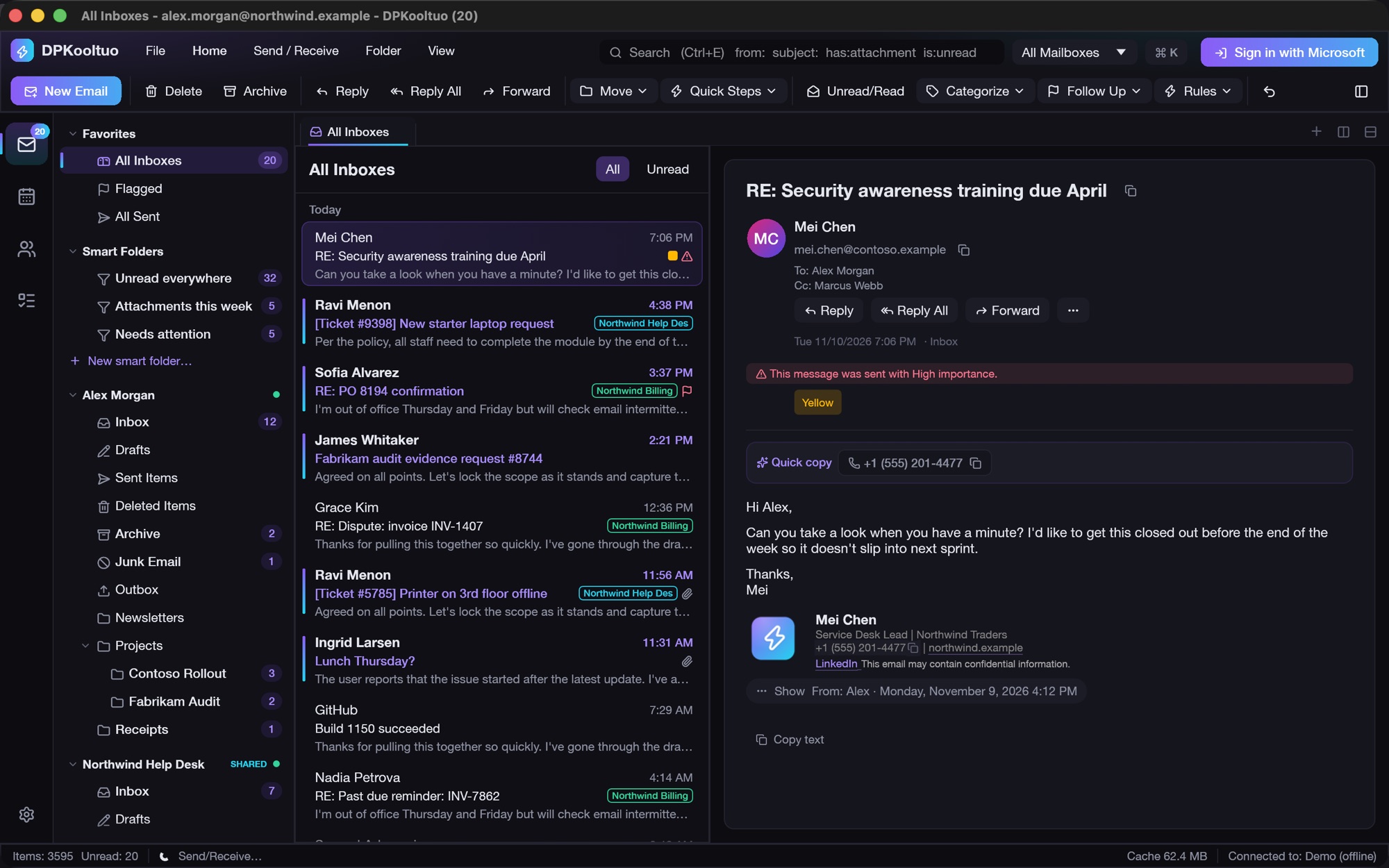
Light theme
Light theme
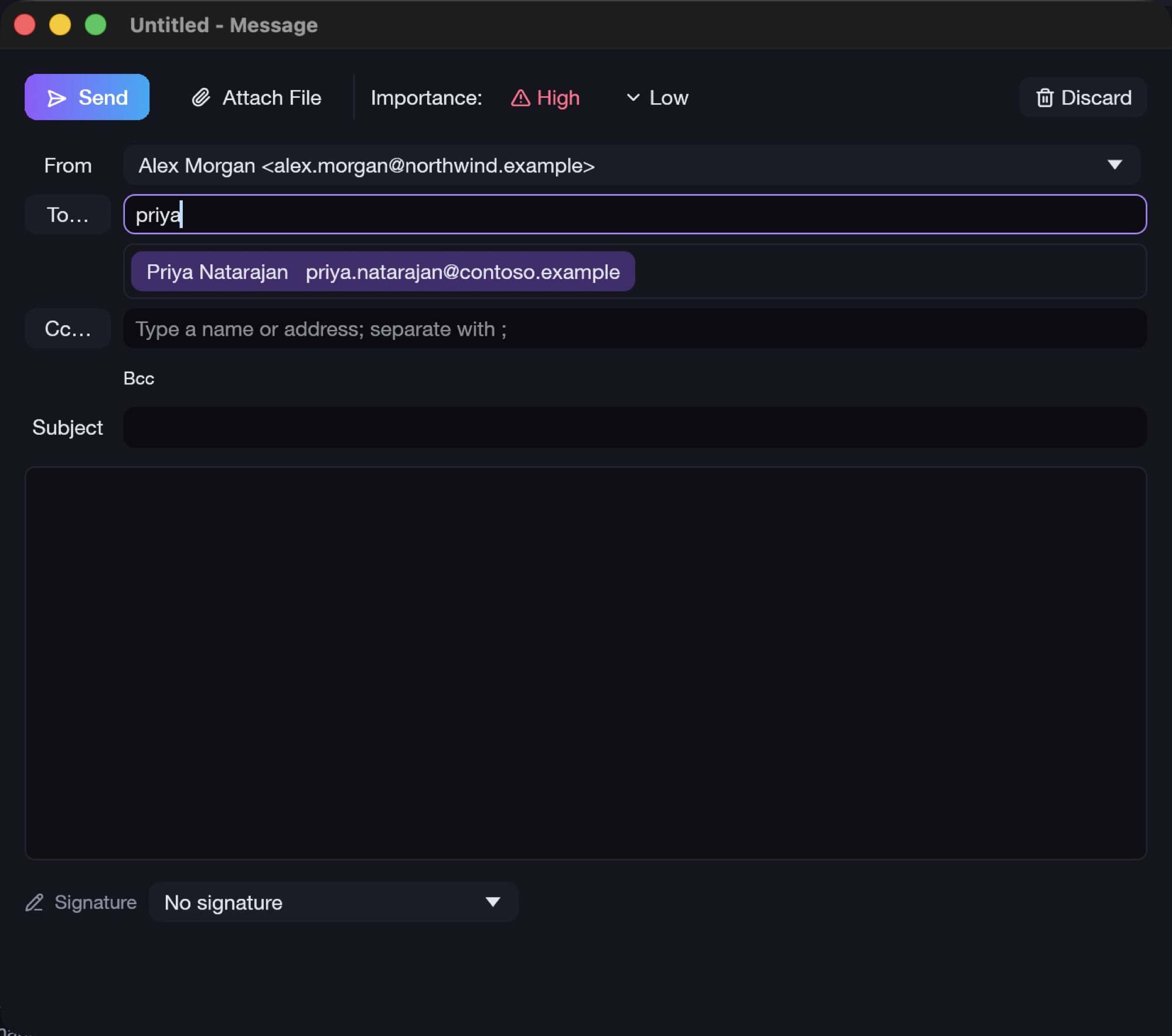
Compose window with From picker and recipient autocomplete
Compose from any mailbox, with instant autocomplete
Download

Get DPKooltuo for Mac

One universal app for Apple silicon and Intel Macs running macOS 11 or later. It's signed with a Developer ID and notarized by Apple, so it opens without warnings.

Download DPKooltuo 0.1.5 SHA-256 3c3f88f6b6f8ae88d8a90136f96cd521ac1317ec9a57e8a1b9945ee733d6b2f4
  1. Open the downloaded DPKooltuo-0.1.5.dmg.
  2. Drag DPKooltuo into Applications.
  3. Open it and choose Sign in with Microsoft; most organizations need nothing else. If yours requires admin approval, DPKooltuo shows the link to send IT.
  4. Optional: turn on the background service under Settings ▸ Background & AI agents for notifications while the app is closed.